Synthatlas
A downloadable tool for Windows
A Free Texture Atlas & Sprite Workflow Tool for Indie Game Developers
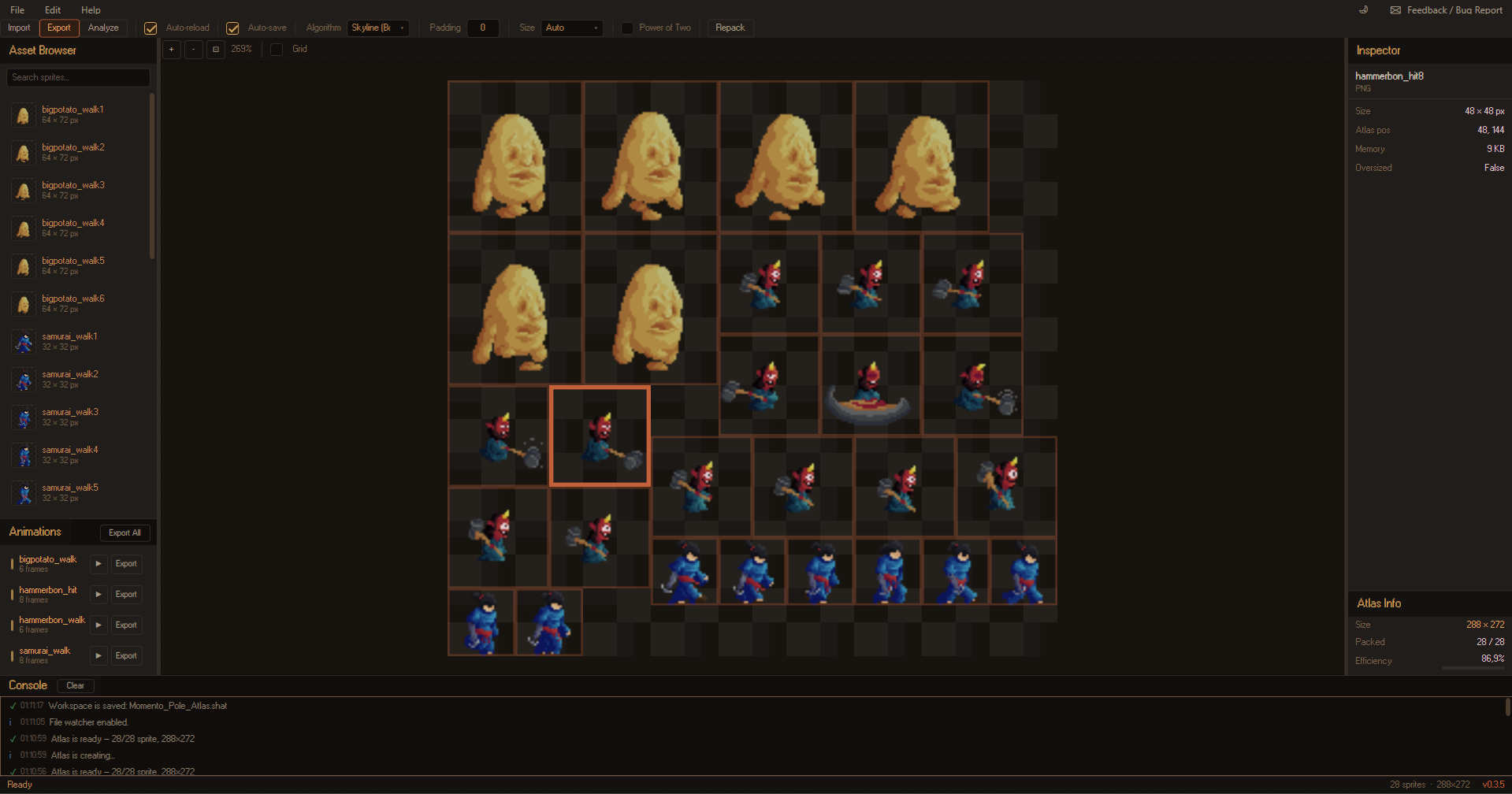
Synthatlas is a modern desktop application built with WPF (.NET 8) that helps game developers create optimized texture atlases, animation sheets, and manage sprite assets with a fast and intuitive workflow.
Whether you're developing in Unity, Synthatlas simplifies the process of packing sprites and exporting production-ready assets.
🚧 Early Beta
Synthatlas is currently under active development. New features are added regularly, and feedback is always welcome.
Features
Texture Atlas Packing
Create optimized atlases using four different packing algorithms:
- MaxRects
- Guillotine
- Skyline
- Shelf
Additional features include:
- Automatic atlas size calculation
- Fixed atlas sizes (256–4096 px)
- Optional Power-of-Two constraint
- Adjustable sprite padding
- Atlas trimming to remove unused space
Sprite Management
- Drag & Drop sprite importing
- Import individual files or entire folders
- Live thumbnail browser
- Search sprites instantly
- Duplicate detection using SHA-256
- Automatic file change detection
Animation Workflow
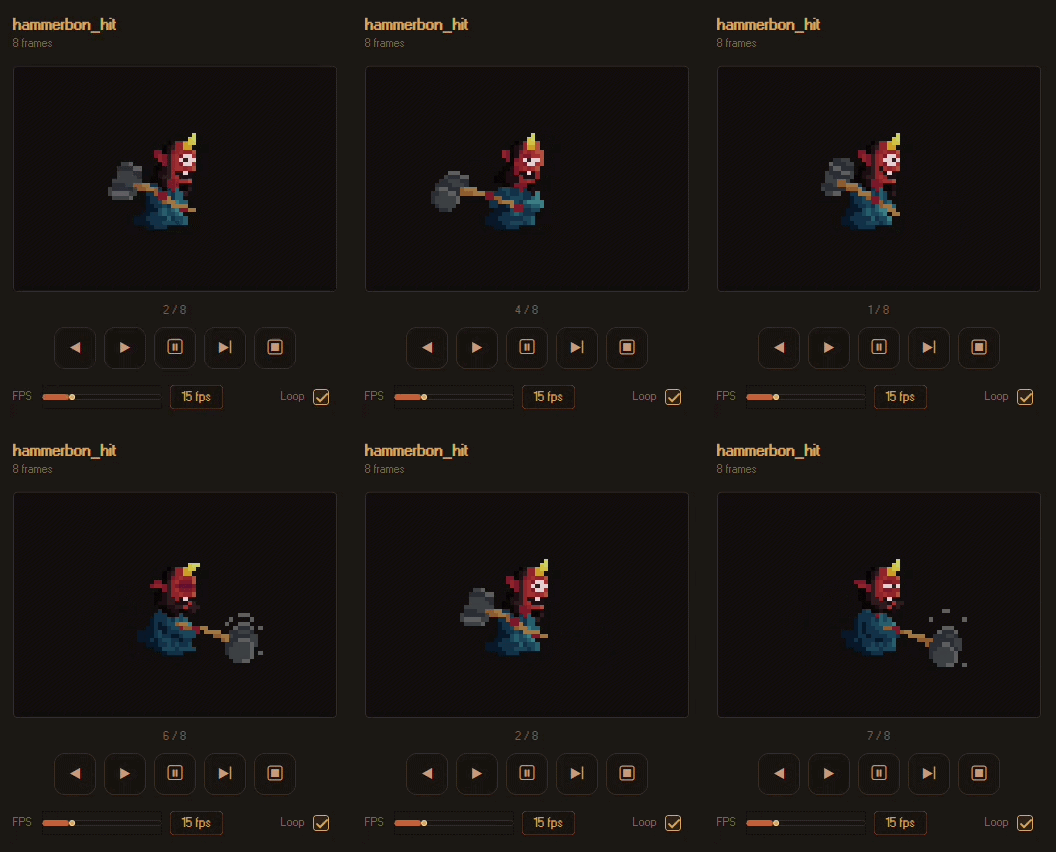
Create animation sheets without leaving the application.
Features include:
- Automatic animation grouping by filename
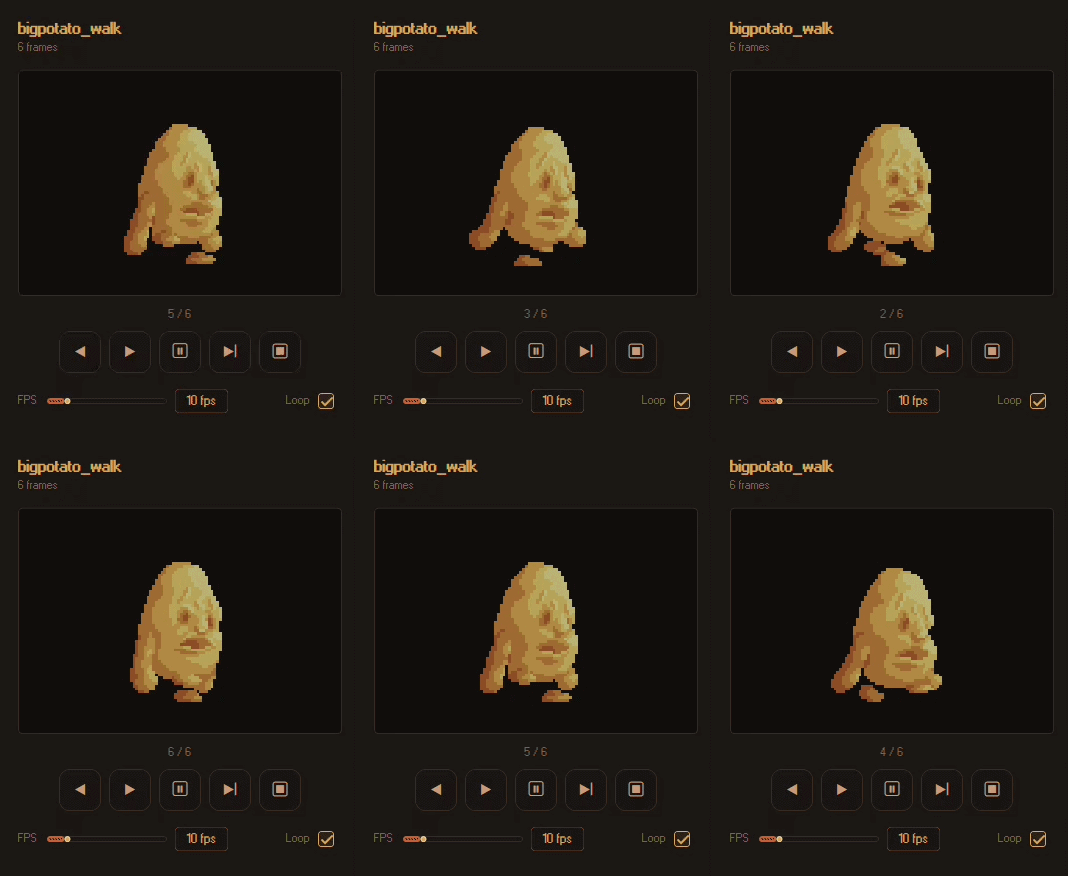
- Real-time animation preview
- Adjustable playback speed
- Loop mode
- Single Animation Sheet export
- Multi Animation Sheet export
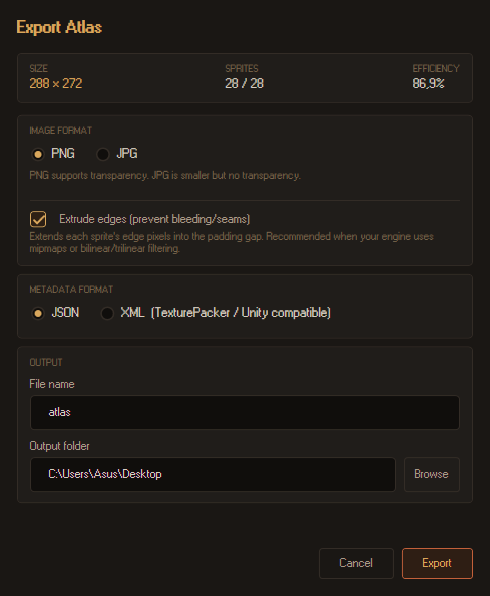
Supported export formats:
- PNG
- JPG
- XML
- JSON
Workspace System
Save your work and continue later.
- Workspace files (.shat)
- Recent Projects
- Auto Save
- Unsaved changes indicator
Undo & Redo
Quickly revert changes with up to 50 undo steps.
Supports:
- Sprite import/removal
- Atlas settings
- Workspace changes
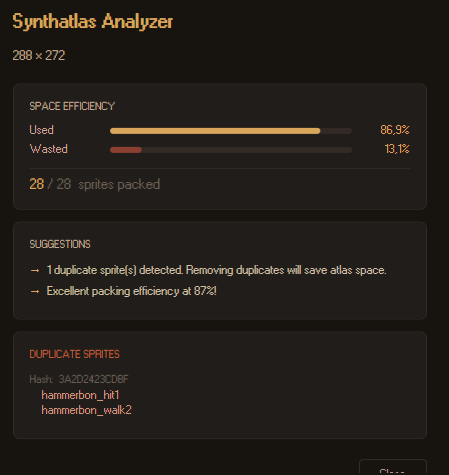
Atlas Analyzer
Analyze your atlas before exporting.
Includes:
- Packing efficiency
- Duplicate sprite detection
- Oversized sprite warnings
- Helpful statistics
Unity Integration
Synthatlas includes a ready-to-use Unity importer.
Simply copy the included SynthatlasPacker.cs into your Unity project's Assets/Editor folder and import your exported XML file.
Supported formats:
- Texture Atlas
- Animation Sheet
- Multi Animation Sheet
Keyboard Shortcuts
- Ctrl + N --> New Workspace
- Ctrl + O --> Open Workspace
- Ctrl + S --> Save Workspace
- Ctrl + I --> Import Sprites
- Ctrl + E --> Export Atlas
- Ctrl + R --> Repack Atlas
- Ctrl + Z --> Undo
- Ctrl + Y --> Redo
- F --> Fit to Screen
- Ctrl + Mouse Wheel --> Zoom
- Middle Mouse --> Pan
- Delete --> Remove Selected Sprite
- F1 --> Help
Requirements
- Windows 10 / Windows 11
- 64-bit
- Self-contained build (no .NET installation required)
No installation is necessary.
Simply extract the ZIP archive and launch Synthatlas.exe.
Source Code
The application is free to use.
The source code is not publicly available.
GitHub Repository: https://github.com/ibrahiimbas/Synthatlas
Feedback
Synthatlas is a personal project developed during my spare time.
If you encounter a bug, have suggestions, or would like to request a feature, I'd love to hear your feedback.
Every suggestion helps improve the project.
Thank you for trying Synthatlas!
Download
Click download now to get access to the following files:
Development log
- v0.3.516 hours ago
Leave a comment
Log in with itch.io to leave a comment.